Aura
App Preview
Designed for the App Store — these are the actual screenshots I made to showcase Aura.
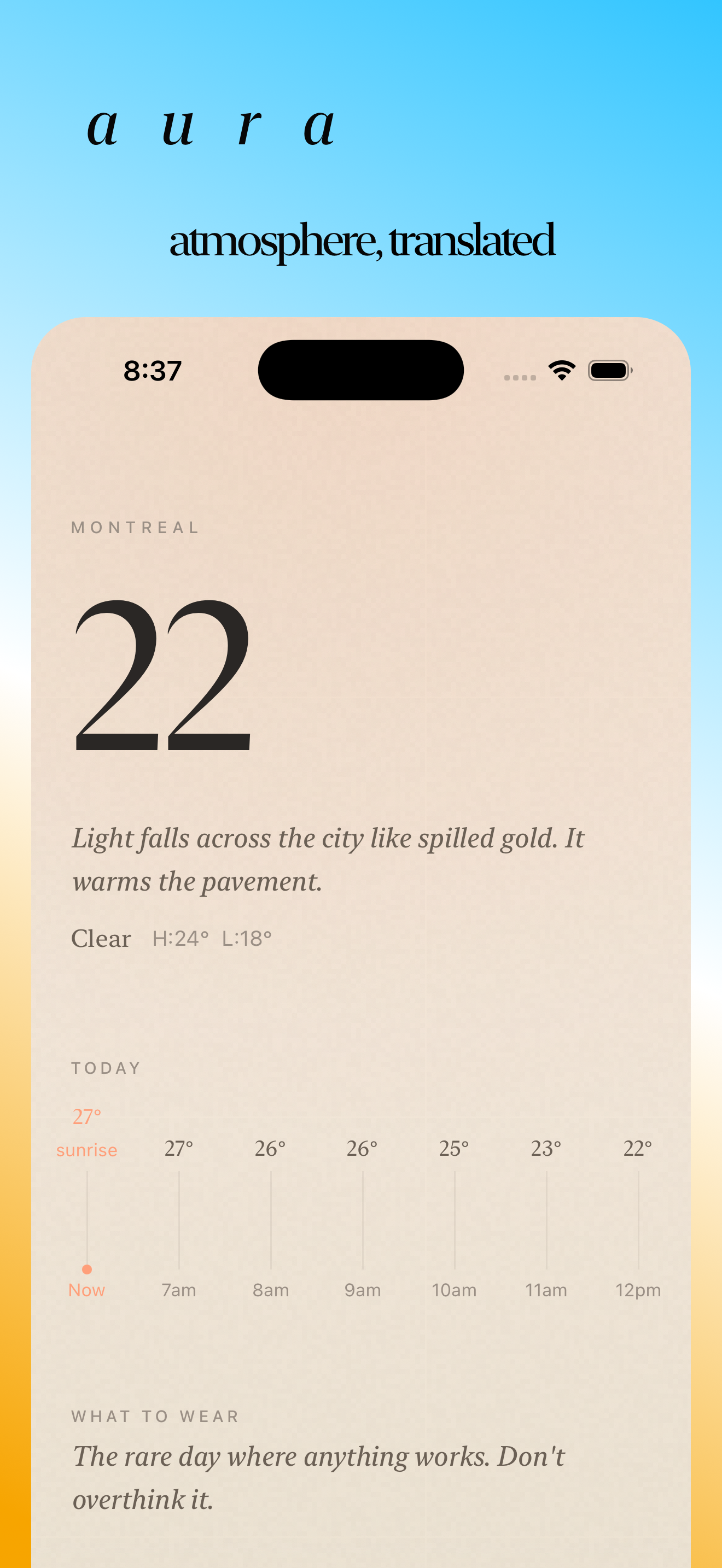
Atmosphere, translated
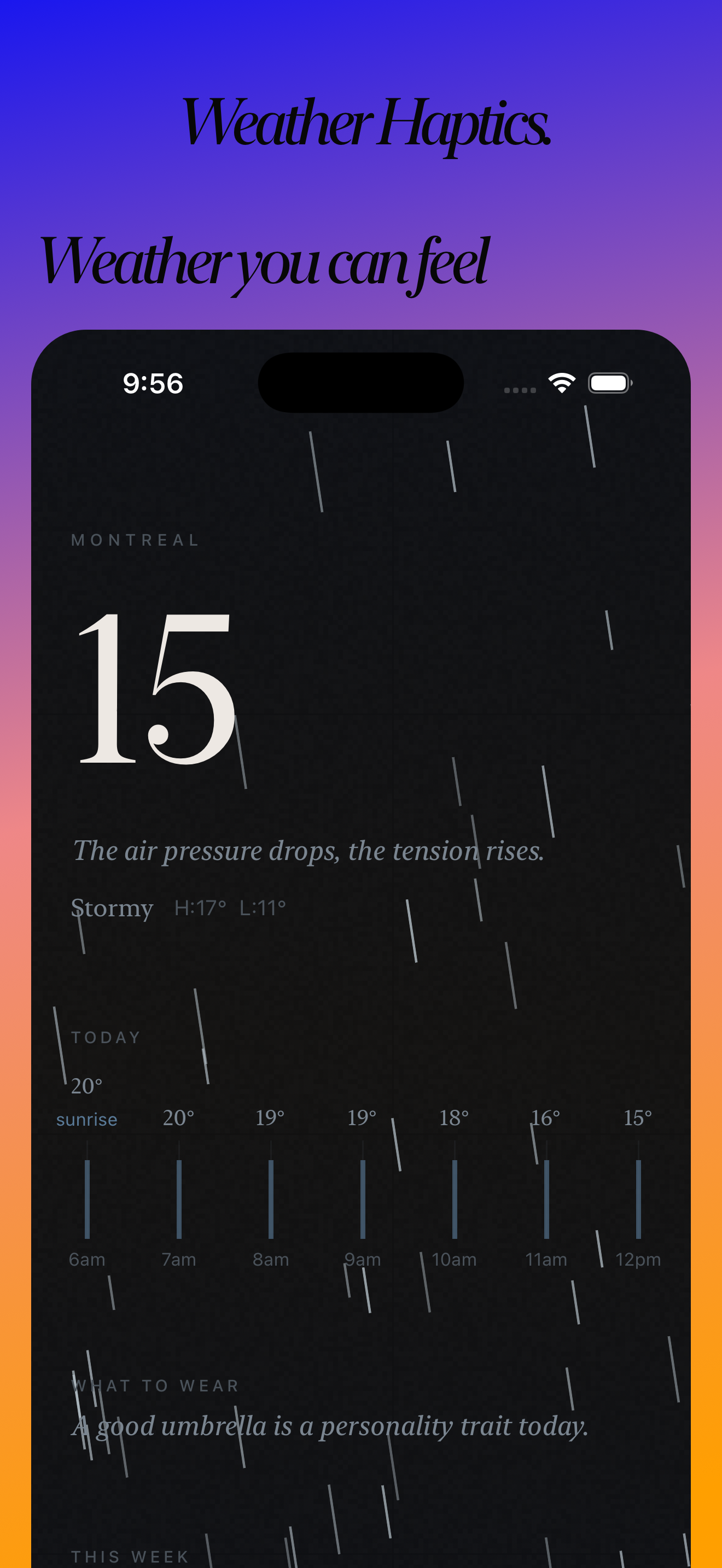
Weather you can feel
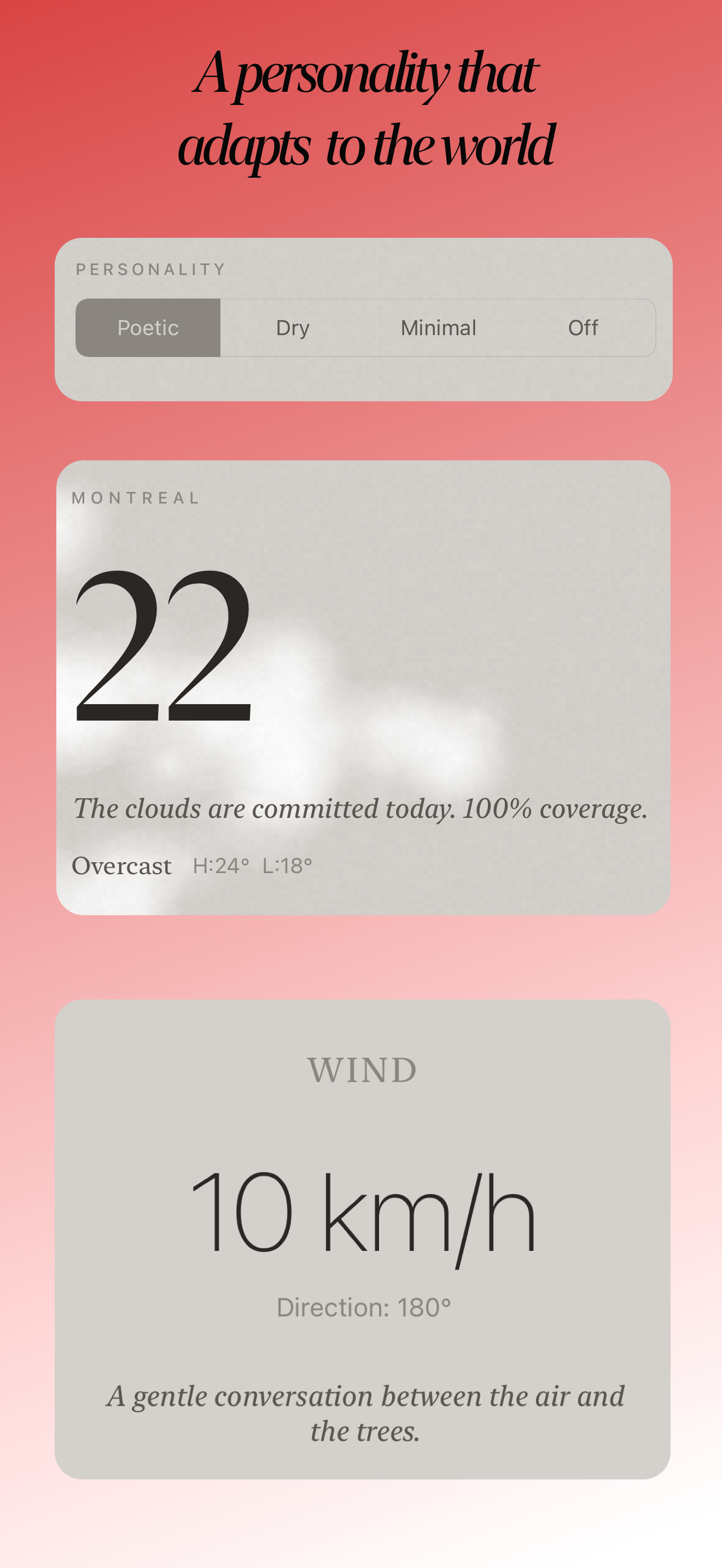
A personality that adapts
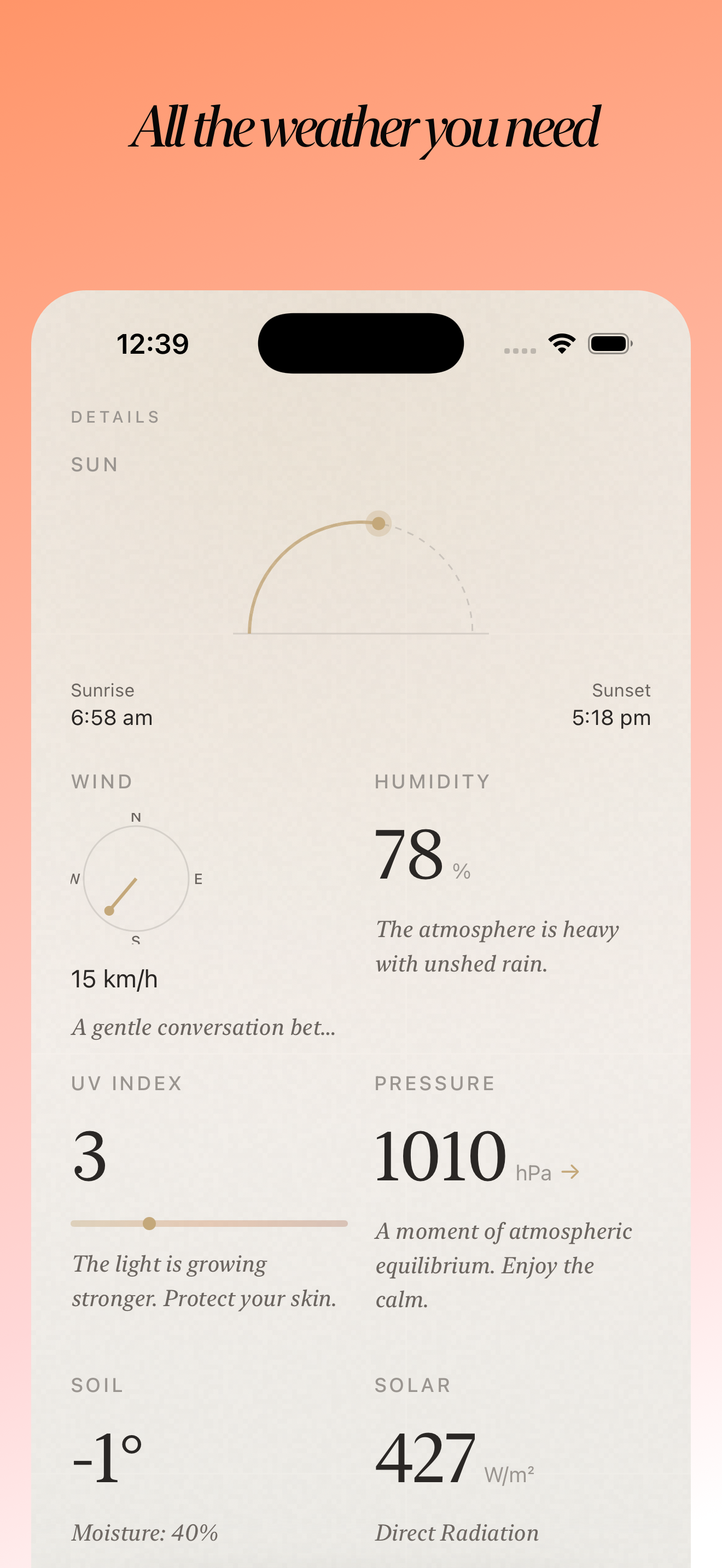
All the weather you need
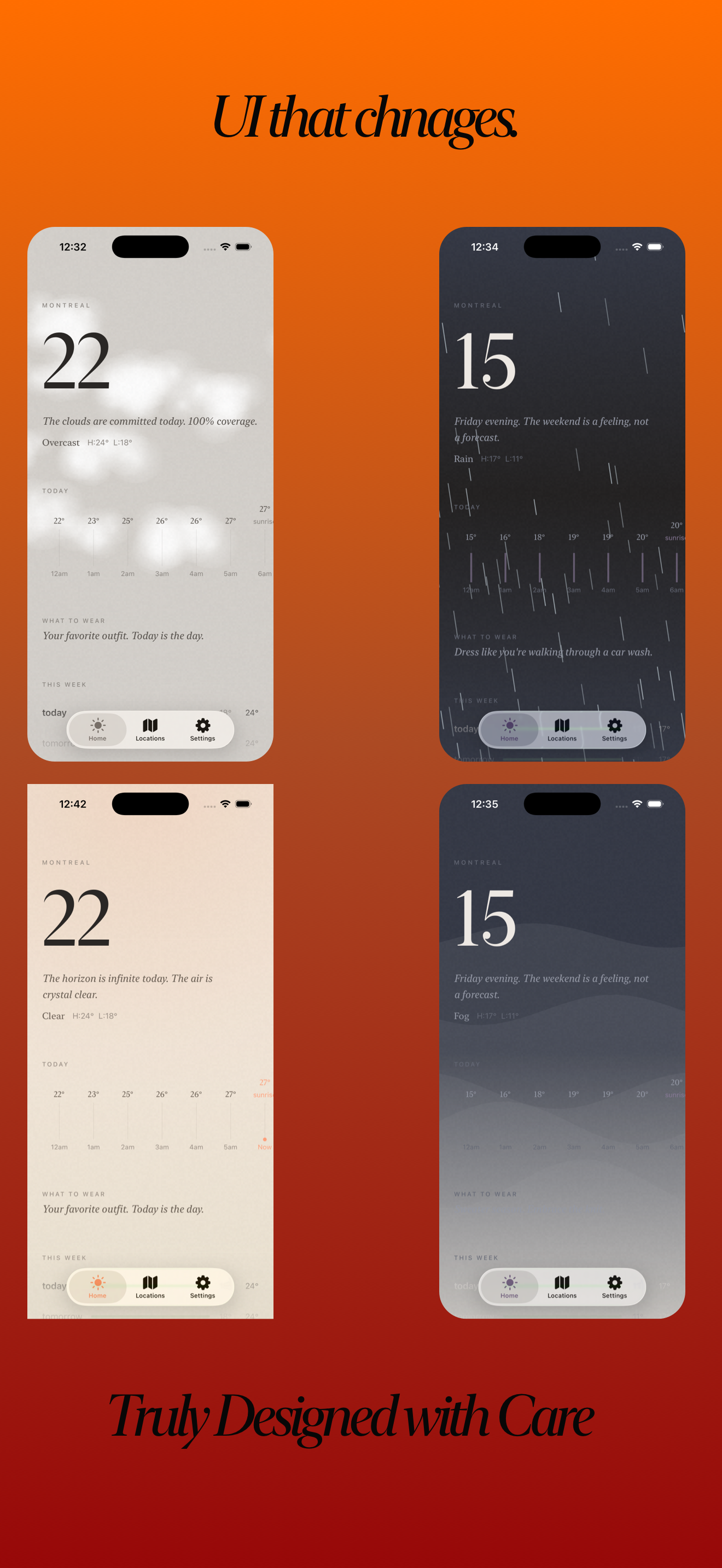
UI that changes with the sky
Key Features
Atmospheric Effects
Canvas-based rain, snow, fog, clouds, and lightning that respond to live weather data.
Personality Engine
Poetic, Dry, or Minimal the app describes weather like a person, not a machine.
Haptic Feedback
Context-aware vibrations tied to weather conditions and every interactive element.
Live Weather Data
Open-Meteo API with air quality, soil, and solar data no API key required.
Home Screen Widget
WidgetKit extension showing weather info with personality text on your home screen.
Weather Simulation
Preview any weather condition, set the temperature, and change the time of day. Great for testing. And vibes.
Overview
I wanted a weather app that felt alive. Not just numbers and icons, but something that actually made you FEEL the weather. So I built Aura from scratch in SwiftUI with zero third-party dependencies. The whole thing runs on Open-Meteo's free API, which was a deliberate choice, no API keys, no rate limits, no surprise bills.
The personality engine is probably what I'm most proud of. You can set it to Poetic mode ("The air is brittle and thirsty"), Dry mode ("Monday. Again."), or Minimal for just the facts. It even gives you wardrobe advice based on the feels-like temperature, wind speed, and precipitation chance. Getting the tone right took forever, too poetic and it's cringe, too dry and it's useless.
The visual effects were a deep rabbit hole. Every weather condition has Canvas-based particle effects, rain drops, snow flakes, fog, clouds, lightning bolts. The atmospheric color palette shifts based on time of day and weather, so sunrise looks different from sunset from a stormy afternoon. The grain overlay adds that film-like quality that makes everything feel premium.
Other stuff I nerded out on: the haptic feedback is context-aware (different vibrations for rain vs thunder vs tapping a card), there's a full weather simulation mode for testing any condition at any time of day, and the home screen widget shows the personality text. Also built trend charts for humidity, pressure, wind, UV, and a moon phase calculator that estimates phase from a known new moon reference date.
Work Items
Atmospheric Visual Effects
featureEvery weather condition gets its own Canvas-based particle system. Rain drops fall, snow drifts, fog rolls in, clouds move, lightning flashes. Getting these to look natural AND run at 60fps was the main challenge.
- •Canvas-based particle rendering for rain, snow, fog, clouds, and lightning
- •Grain overlay effect for that premium film-like quality
- •AtmosphericCanvas composites all active effects based on current conditions
- •Lightning frequency control with randomized bolt patterns and screen flash
Personality Engine
aiThe app describes weather like a person, not a machine. Poetic mode gets you "The air is brittle and thirsty." Dry mode gives you "Monday. Again." Getting the tone right without being cringe took way more iterations than the actual code.
- •Three personality modes: Poetic, Dry, and Minimal
- •Context-aware descriptions for wind, humidity, pressure, UV, dew point, visibility, and air quality
- •Special date descriptions for Mondays, Fridays, equinoxes, and solstices
- •Wardrobe advice based on feels-like temperature, wind speed, and precipitation chance
- •Date-seeded randomization so descriptions don't change on every refresh
Weather Data Pipeline
architectureOpen-Meteo for weather data (free, no API key needed), plus their separate air quality API. Both fetched concurrently and merged. The response mapping from WMO weather codes to my internal condition model took a while to get right.
- •Open-Meteo API integration with no authentication required
- •Concurrent fetching of weather + air quality data with async/await
- •WMO weather code mapping to internal WeatherCondition enum
- •Soil temperature, soil moisture, and solar radiation from hourly data
- •CacheService for offline fallback when the API is unreachable
Haptic Feedback System
featureContext-aware haptics tied to weather conditions and user interactions. Rain feels different from thunder feels different from tapping a card. Built a whole WeatherHapticEngine for the weather-specific patterns.
- •HapticManager for general UI interactions (tap, toggle, scroll)
- •WeatherHapticEngine for condition-specific vibration patterns
- •Per-category toggles and intensity controls in settings
- •Global haptic toggle for users who just want silence
Home Screen Widget
featureWidgetKit extension that shows weather with personality text on your home screen. The timeline provider refreshes data and the view adapts to widget size. Sharing data between the app and widget via App Groups was surprisingly finicky.
- •WidgetKit with WeatherWidgetProvider for timeline updates
- •Personality text displayed directly on the widget
- •App Group shared container for data synchronization
- •Custom widget view matching the app's atmospheric design language
Atmospheric Design System
architectureThe whole visual identity is built around weather. AtmosphericPalette shifts gradients and colors based on condition and time of day. Custom typography with AuraTypography. Constants file for spacing and sizing. Everything is consistent and themed.
- •AtmosphericPalette with condition-based gradient and color generation
- •Time-of-day awareness: sunrise, daytime, sunset, and night all look different
- •AuraTypography for consistent font sizing across the app
- •AuraConstants for standardized spacing, padding, and corner radii
- •Detail cards (Wind, UV, Sun Arc, Moon Phase) with consistent visual treatment
Weather Simulation Mode
featurePreview any weather condition, adjust the temperature, and change the time of day without waiting for actual weather. Useful for testing, but honestly I just use it to stare at the snow effect. Built it so all the visual effects, palette, and data respond correctly to simulated state.
- •Condition picker for Clear, Overcast, Rain, Snow, Stormy, Fog, Night
- •Time-of-day slider from 0-24 hours
- •Temperature override control to test wardrobe and haptic responses
- •Full WeatherState generation with realistic mock data for simulated conditions
- •Settings integration with SimulationControlsView
Key Highlights
- 01
Canvas-based particle effects for rain, snow, fog, clouds, and lightning, all running at 60fps
- 02
Personality engine with 3 modes and special descriptions for Mondays, Fridays, and equinoxes
- 03
Zero third-party dependencies, pure SwiftUI + Apple frameworks
- 04
Atmospheric palette system that shifts colors based on weather condition AND time of day
- 05
Weather simulation mode, preview any condition at any hour, and set the temperature without waiting for actual weather
- 06
Home screen widget with WidgetKit that shows personality-driven weather text
Technologies